Appearance
IntelliTrack 2026 Sprint 26.12–26.13 Release Notes
Released: July 20, 2026
Sprint release with improvements and fixes for the general platform and the Consumable Inventory bundle.
General Platform
Improvements
- When an Asset is Retired, the Item associated with the Asset may now be Disabled if it is not being used elsewhere in the Tenant.
- Note: This applies to the IT Assets, Fixed Assets, and Rotational Assets bundles.
- When Subscribing to a View that has a Date or a Date/Time field, the Report that is downloaded now displays the information in the Local Time Zone.
Fixed
- The Date Equals and Date Does Not Equal queries on the Asset History Report and Item History Report now return the expected results.
Consumable Inventory Bundle
Fixed
- The Order Date for the Order Types listed below is now properly set to the Current Date in the Time Zone of the logged-in User.
- Issue Order – Add Issue Page
- Receipt Order – Add Receipt Page
- Return Order – Add Return Page
- Receiving Order – Add Receiving Page
- Picking Order – Add Picking Page
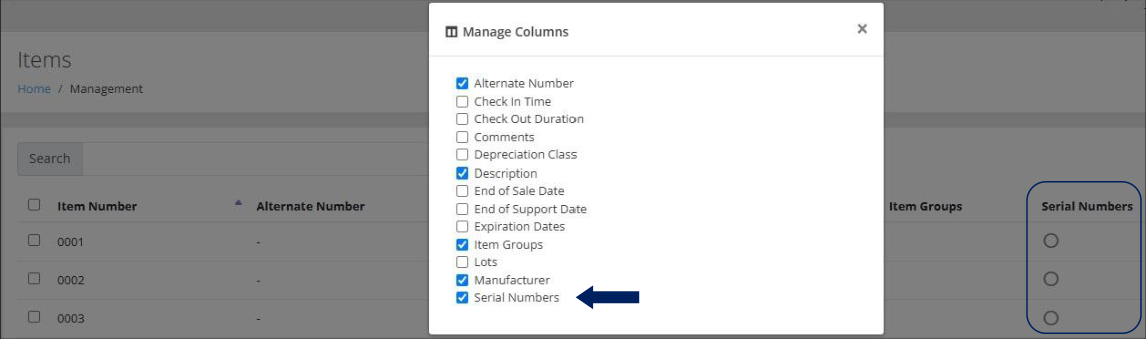
- On the Items page, when the Serial Numbers field is added to the page via the Manage Columns option, as seen below, it will now be displayed as "checked". To remove the field from the Items page, the User will "uncheck" the Serial Numbers field.