Appearance
IntelliTrack Q1 2023 Release Notes
Released: April 13, 2023
Quarterly release covering custom dashboards, file attachments, 2-factor authentication delivery options, shared data views, RFID support in IntelliTrack Mobile, depreciation calculation updates, and new consumable inventory insights.
General & Multi-Bundle Updates
Dashboards
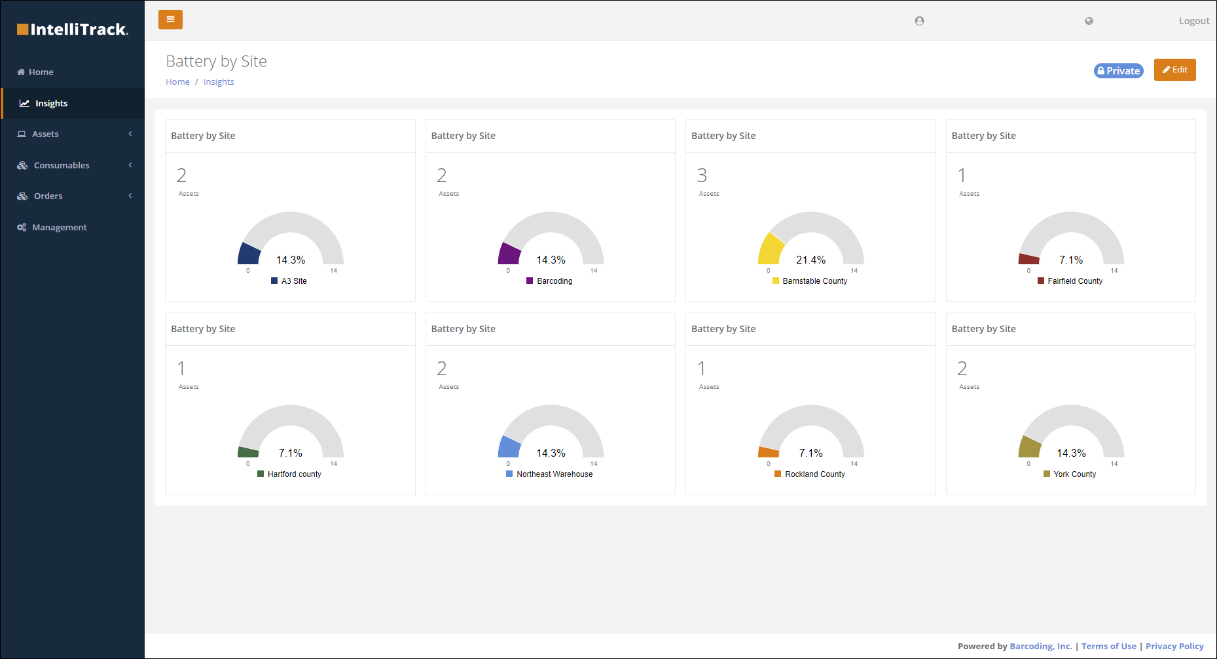
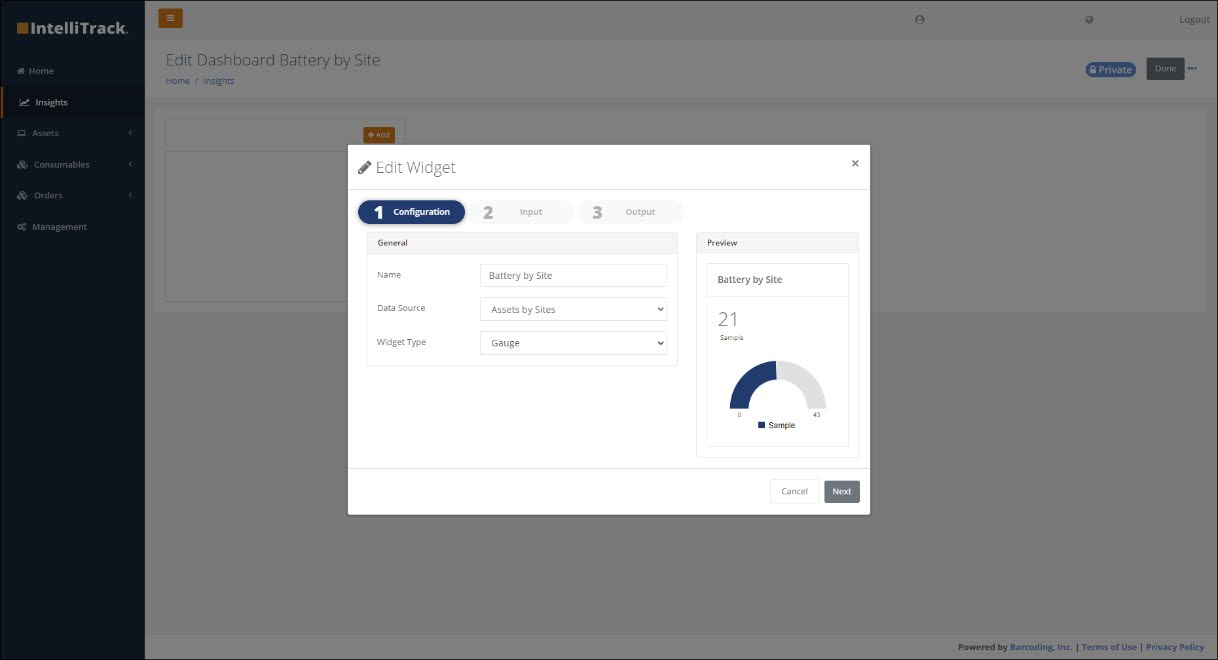
- Provides tools for users to create and present custom dashboards. Allows users to customize summary information for decision making and situational awareness. Users can:
- Utilize a wizard to help create dashboard elements (KPIs). Use widgets to specify type and data source and then name the widget to build your dashboard KPI. Currently, the gauge is the only available widget type, but more will be available in future releases.
- Share dashboards with the other IntelliTrack users in their tenant or create dashboards for private use.
- View common dashboards provided in IntelliTrack, including ones to display product expiration data and next maintenance/calibration data.
File Attachments
- Attach files to Item and Asset records from the new "Attachments" tab on the Item and Asset view pages. Up to 5 files per record with a maximum file size of 50 MB may be attached. Executable files cannot be attached.
2-Factor Authentication
- 2-factor verification codes can now be received by text and or email. The code is emailed by default to the Username Email. To add a cell phone number, after logging in, press the Username at the upper right-hand side of the IntelliTrack page. The User Profile page is displayed, containing a phone number field. After verifying the information, all valid notification options will be available on the 2-factor authentication page.
Data Views
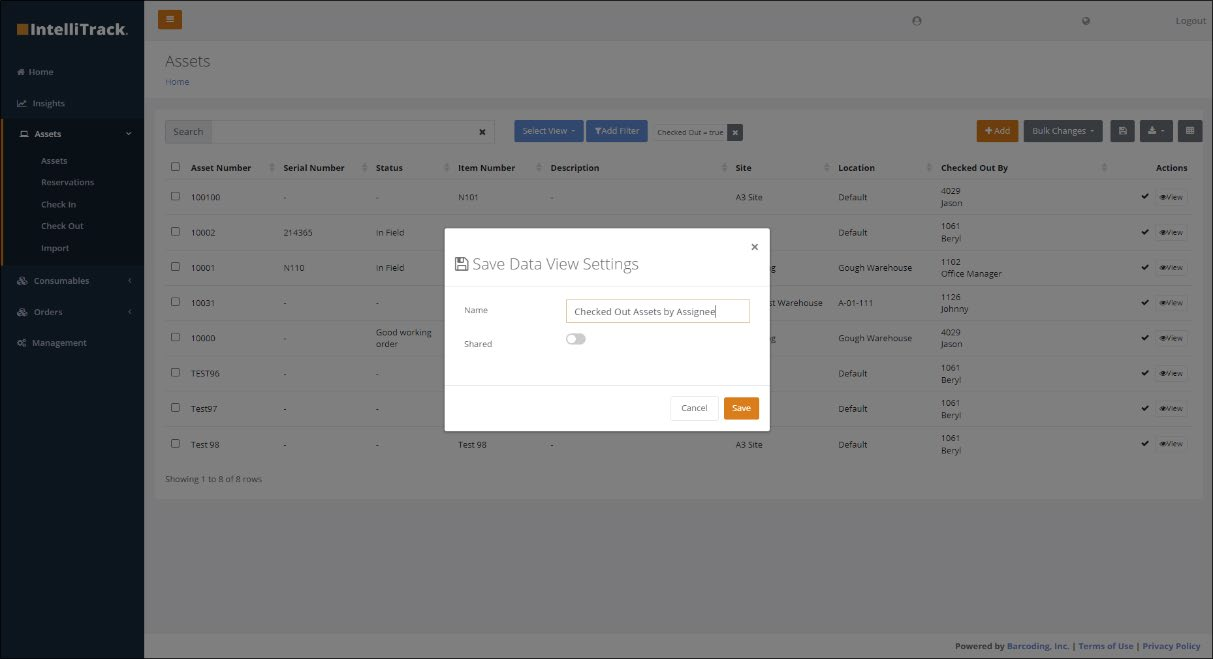
- Improved the management of data views by allowing users to share custom data views with all members of their tenant and deleting unused views.
- Changed the name of the "Load Data View" button to "Select View", which displays a dropdown list of available views.
- Added the "Configure" option item to the "Select View" button dropdown list. Selecting "Configure":
- Displays a list of all available views for the current page, including personal views that the user created and shared views created and shared by another user in the tenant or provided within IntelliTrack.
- Allows a user to delete their private views (users are not allowed to delete another user's shared view).
- Select the Star icon to select a default view. The default view is displayed every time the user navigates to the associated page.
RFID Support in IntelliTrack Mobile
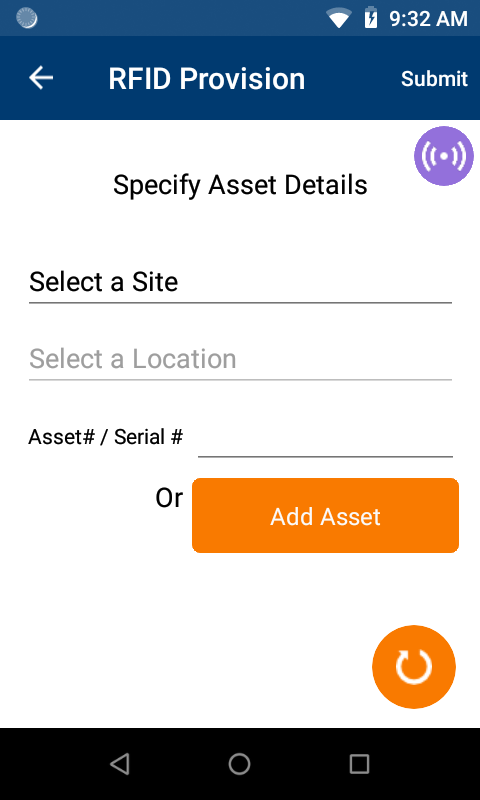
- IntelliTrack Mobile now supports the collection of RFID data. The following features have been added to the application (Fixed Asset, Rotational Asset, and Consumable Inventory bundles):
- Tag Provisioning: A unique IoT ID can be written to an RFID tag. During the provisioning process, the application will prompt for any asset UDFs. If the tag is for a new asset, the application will also prompt for the Item, Asset, and Serial numbers.
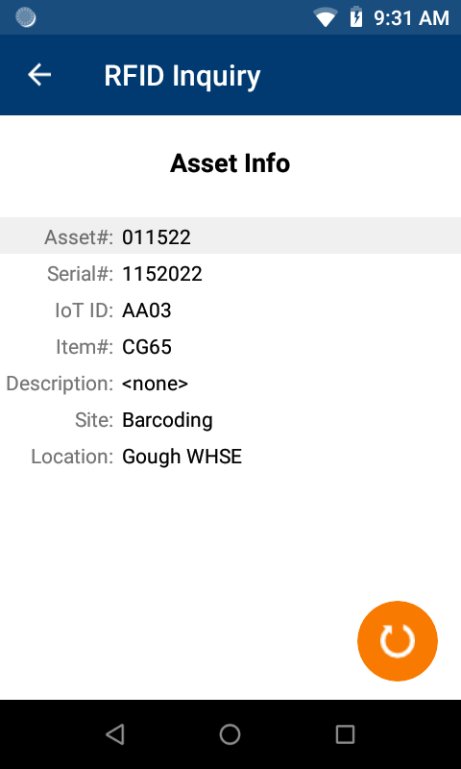
- Tag Reads: A new menu item has been added, "RFID Inquiry" that allows a user to scan an RFID tag and see the following information: Asset Number, Serial Number, IoT ID, Item Number and Description, Site, Location, and all Asset UDF fields.
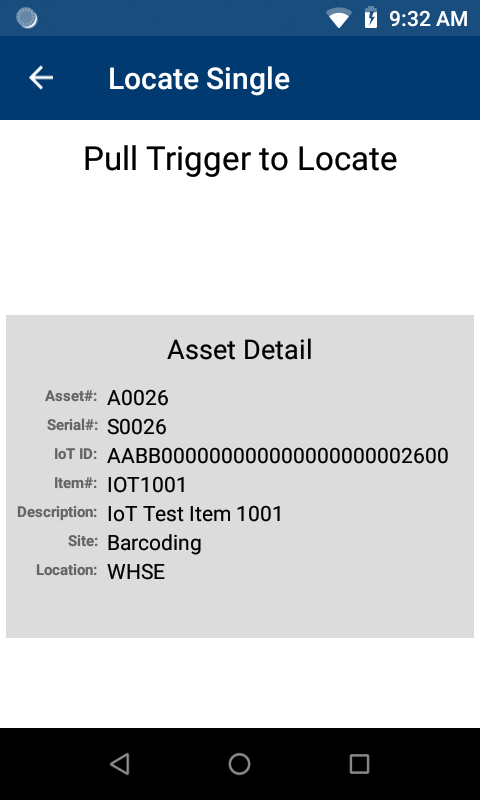
- Find Tag: Users can find RFID tags by using RFID to point them in the direction of an asset by displaying how close the user is to the tag and beeping with various frequency and speed.
- Tenant administrators have access to related settings for the mobile client from Home > Management > Settings > Tenant Settings > IoT. The new settings are:
- General settings: IoT enabled; RFID filter; Auto create asset; Default item
- Mobile specific settings: Allow a new asset; Confirm asset creation
Maintenance and Calibration
- Provided a dashboard widget to display the next maintenance or calibration date.
- Users can now enter comments on a maintenance or calibration order.
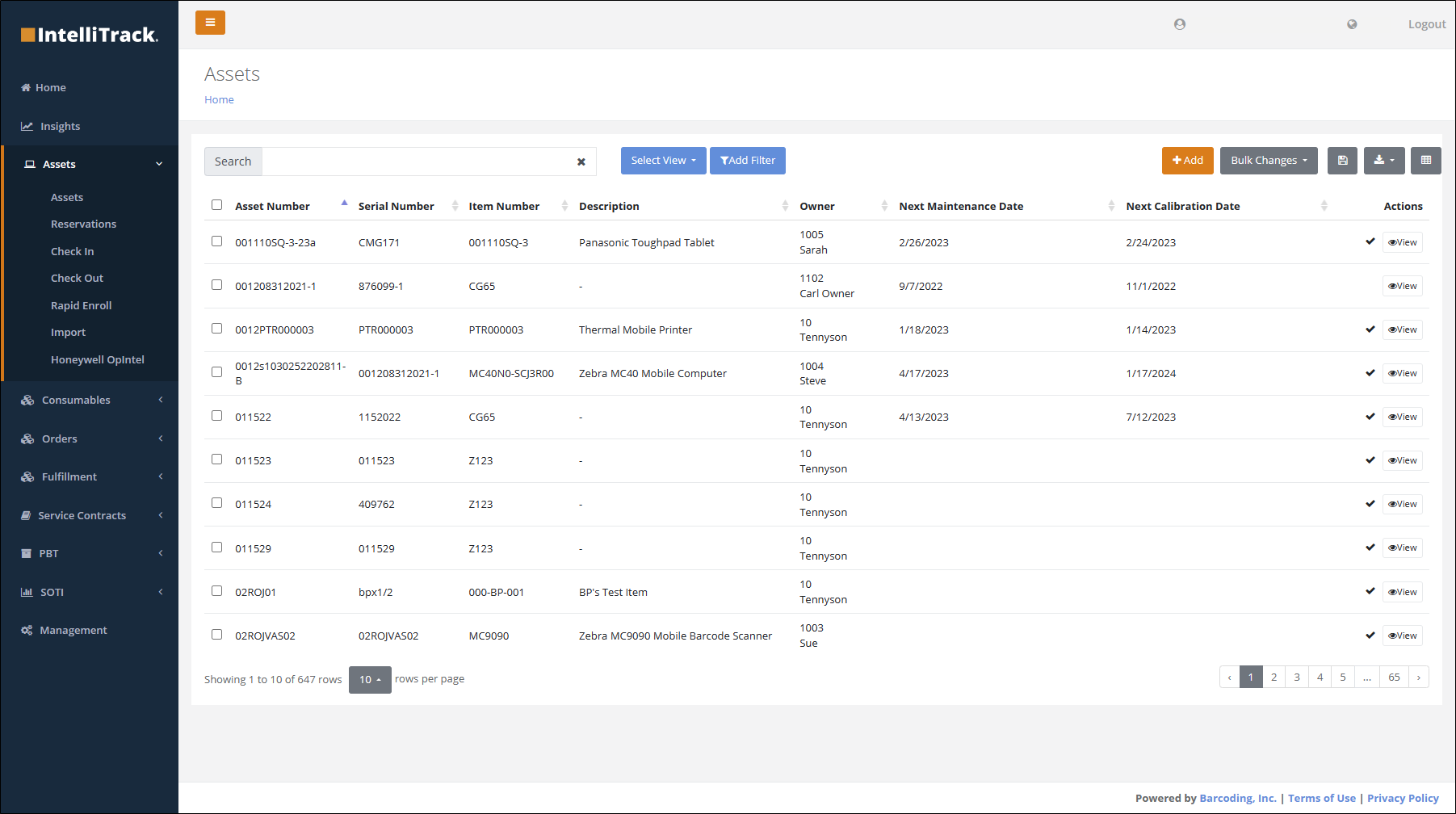
- Created the new system view, Maintenance/Calibration Due (Assets page) which displays assets that have maintenance and/or calibration due information in the system. Users of the Fixed and Rotational Asset bundles can use this view to ensure that assets remain in compliance for preventative maintenance and calibration requirements.
Miscellaneous Cross Platform Updates
- Change the "Edit Columns" helper text on index pages to "Manage Columns".
IT Asset Updates
Auto Close RMAs
- RMAs with a status of InTransit will be automatically closed after 60 days.
Datalogic RMAs
- RMAs with a status of InTransit will be automatically closed after 60 days.
VeriMy™
- Added new About page and updated Device Details page.
- Modified the slide out menu to be consistent with the other IntelliTrack mobile applications.
- Fixed issue with importing the Asset Import spreadsheet (AssetsImport.csv) in tenants not containing the IT Assets bundle associated with the "EnableVeriMy" field.
Rotational Asset Updates
Reservation Auto-Numbering
- Reservation auto-numbering is now available from Home > Management > Settings > Tenant Settings > Assets. A prefix can be defined and the starting (next) number can be set as a tenant setting.
UI Updates
- Display the Checkout Assignee for an asset that is being checked in on the Check In page.
- Added a "Check Out" asset action at the View Asset page > Asset Details tab under the "Place In Spare Pool" action. This is displayed only if the user has checkout permission.
Fixed Asset Updates
Depreciation Calculations
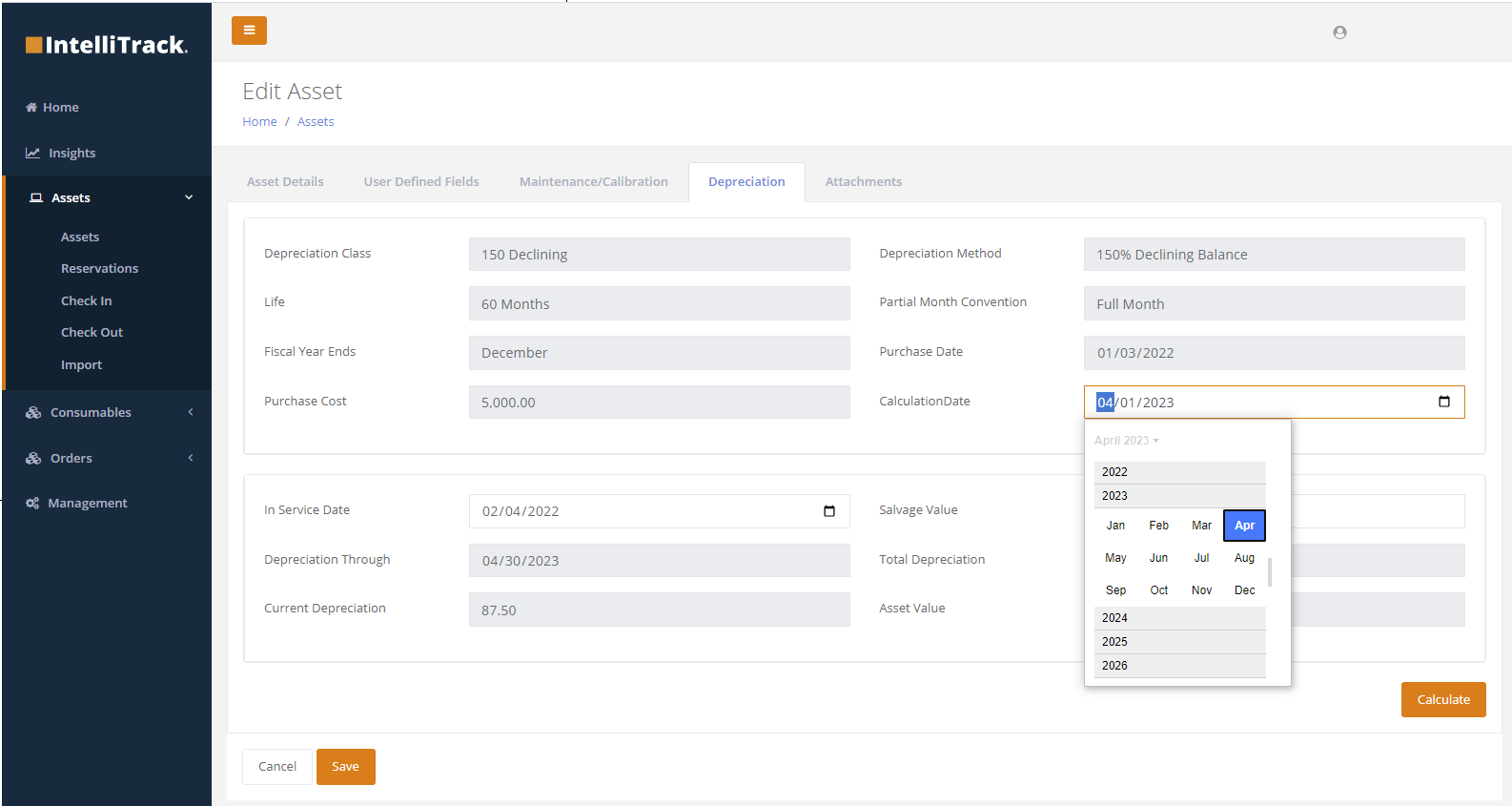
- Added support for running depreciation by asset class.
- Users can now pick the date that depreciation calculations are run.
Consumable Inventory Updates
New Consumable Inventory Insights
The following Consumable Inventory Insights have been added:
- Item Reorder report
- Consumable Inventory Summary report
- Consumable Reorder report
- Consumable Orders report
- Item Expiration Dates dashboard
- Inventory by Location system view (Inventory page)
- Inventory by Items Group view (Inventory page)
- Issues system view (Consumable Orders report)
- Receipts system view (Consumable Orders report)
- Returns system view (Consumable Orders report)
Miscellaneous Consumable Inventory Enhancements
- Added type-ahead search for site and location fields at the Add to Inventory dialog, which is available from the Items page > Actions column > Add to Inventory option.
- UI/naming changes:
- Change the "Inventory" main menu to "Consumables".
- Change the "Inventory Summary" report to "Consumable Inventory Summary".
Patient Belongings Tracking (PBT)
- Allow a user to send a list of collected property to a patient by email and text.
- Implemented functionality to support lost and found property tracking including recording found property and its storage, managing claims for lost property, and recording the disposal or return of found property.
- Fixed issue with PBT app unexpectedly closing when running on iOS 16.3.x.