Appearance
IntelliTrack Q1 2022 Release Notes
Released: April 7, 2022
Quarterly release covering IntelliTrack Mobile for Android, asset maintenance and calibration tracking, rotational asset reservations, fixed asset depreciation, and consumable inventory orders.
General & Multi-bundle Updates
IntelliTrack® Mobile
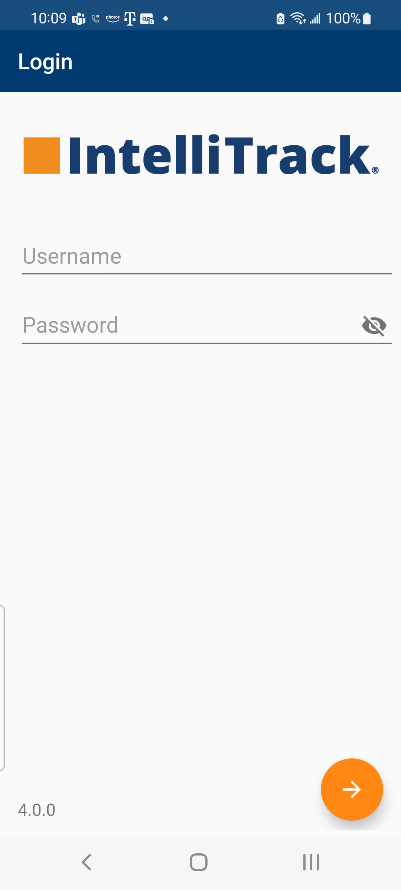
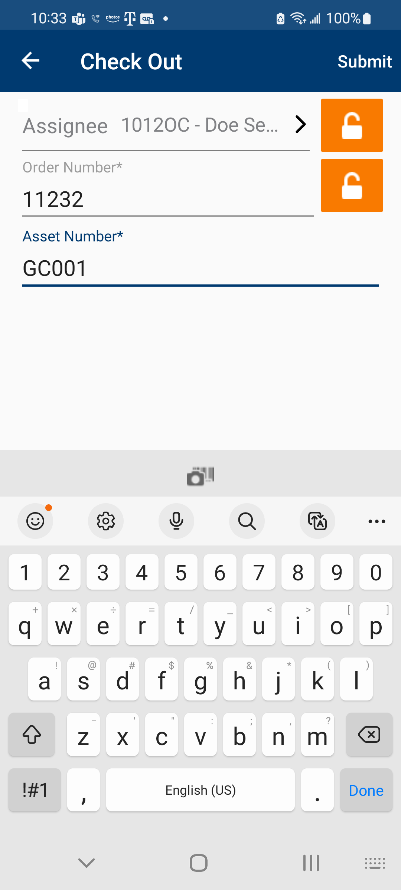
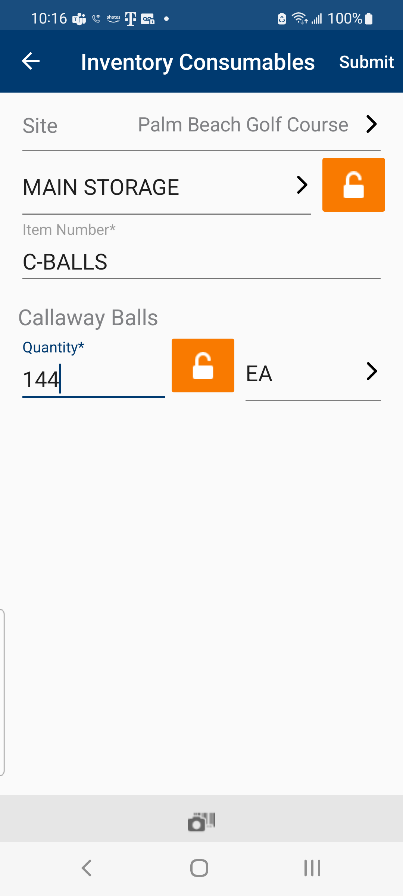
IntelliTrack Mobile for Android has been released. IntelliTrack Mobile works with the IntelliTrack platform to enable your mobile workforce to complete workflows including asset and inventory transactions, physical inventory, and rotational asset check-out and check-in functions.
Track Asset Maintenance and Calibration Dates
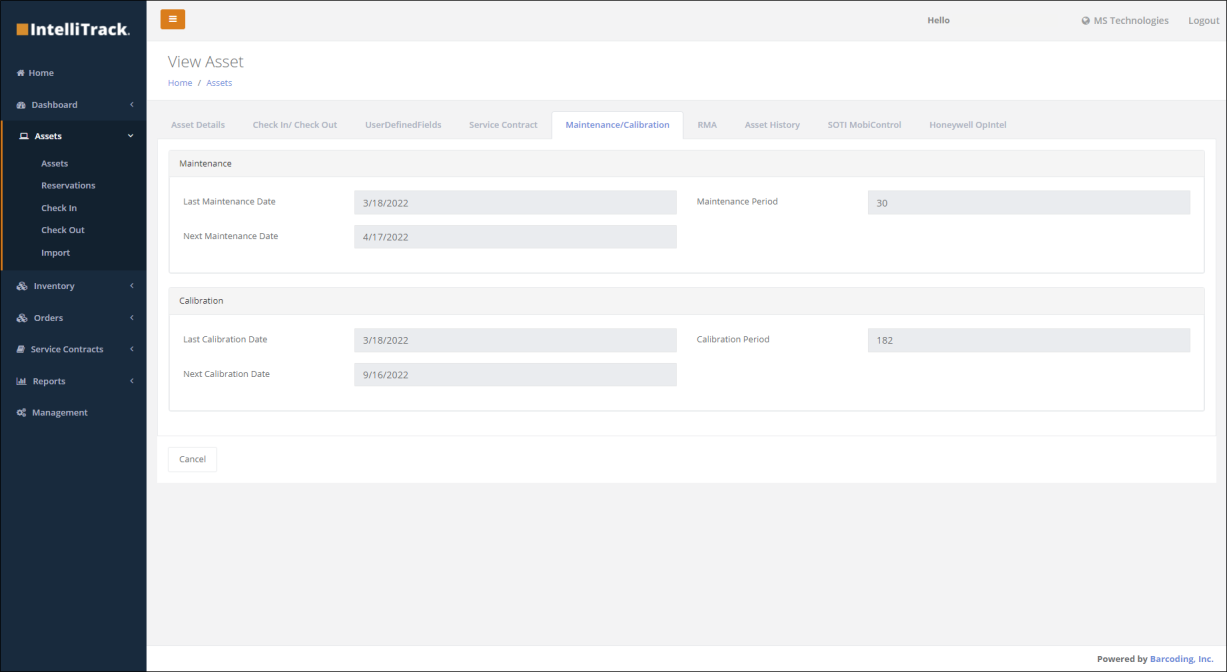
The ability to track the last and next maintenance and calibration dates is now available to those who have purchased the Rotational and Fixed Asset bundles. The last and next maintenance and calibration dates, along with the maintenance and calibration periods, can be viewed on the Maintenance/Calibration tab on the View Asset screen. Setting a maintenance or calibration date is performed from the Actions option found on the Assets Details screen.
Improved IntelliTrack User Management
- The user phone number can be tracked when adding or modifying a user record.
- Multiple users can be imported into IntelliTrack by using a .csv file. A template can be downloaded from the Management > Users > Import page, populated with the user information, and then uploaded all from the same page.
Miscellaneous Asset Tracking Enhancements
Other asset tracking enhancements include:
- The full site address can be viewed on the view asset page.
- Items can be cloned, which includes copying attributes and toggle settings from the original item.
- Additional detail regarding the update of an asset is displayed on the Asset History tab when an Update Asset Transaction is performed.
Miscellaneous Reporting and Dashboard Enhancements
- Standardized colors used to match approved color palette across multiple reports and dashboards.
- The Assets by Site report now allows a user to drill down on both the assets and locations for a detailed view of where the assets are located.
IT Asset Updates
View Device Details from SOTI EMM
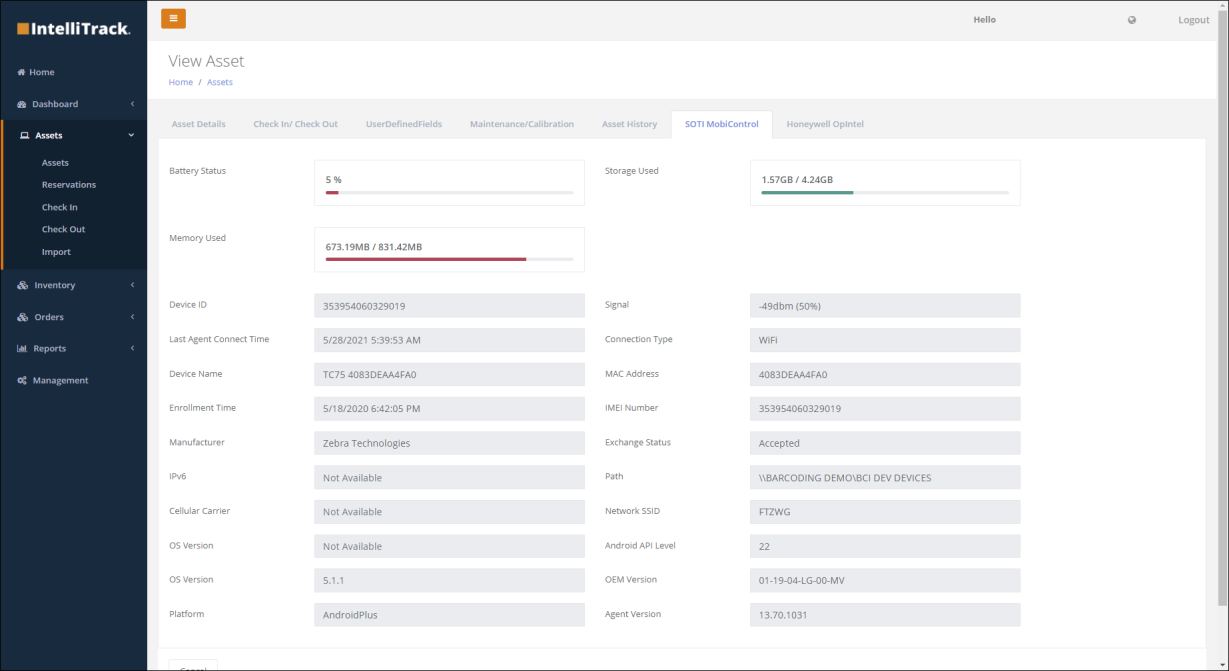
This new feature is available to Barcoding StayLive Services™ customers who have chosen for us to manage their EMM (Barcoding EMM powered by SOTI). Device attributes managed in the Barcoding SOTI instance can be viewed from the SOTI MobiControl tab from the View Assets screen.
Miscellaneous IT Asset Enhancements
Other asset tracking enhancements include:
- IMEI data is incorporated in carrier information for assets.
- The user's phone number is auto-populated on the Create RMA screen based on the user profile information.
- The RMA Replacements report and the Service Contracts chart now allow for filtering on date ranges (e.g., <30, 31 to 60 days, etc.)
- A packing slip for Honeywell devices can be generated.
Service Contract Management Enhancements
- Internal Barcoding users can add a service contract number when importing assets by adding a "contract number" column in the Asset Import template.
- A new dashboard is available for internal Barcoding users that displays RMAs across all tenants.
Rotational Assets
Reserve Assets for Checkout
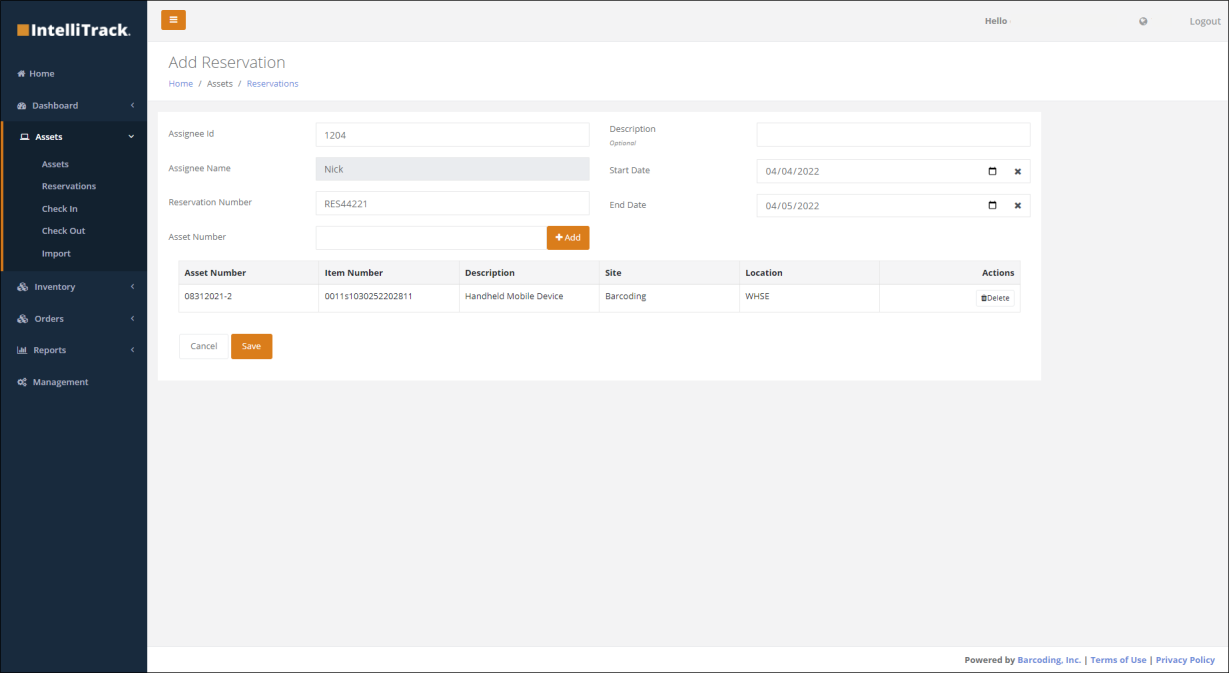
For those who have purchased the Rotational Assets bundle, rotational assets can now be reserved for an assignee in advance of checkout. The new option, Reservations, allows you to view all reserved assets. To reserve an asset, select the reserve button. From this screen, enter the assignee ID, reservation, asset numbers, and the start and end dates of the reservation period. If desired, a description can also be added.
Past Due Assets Report
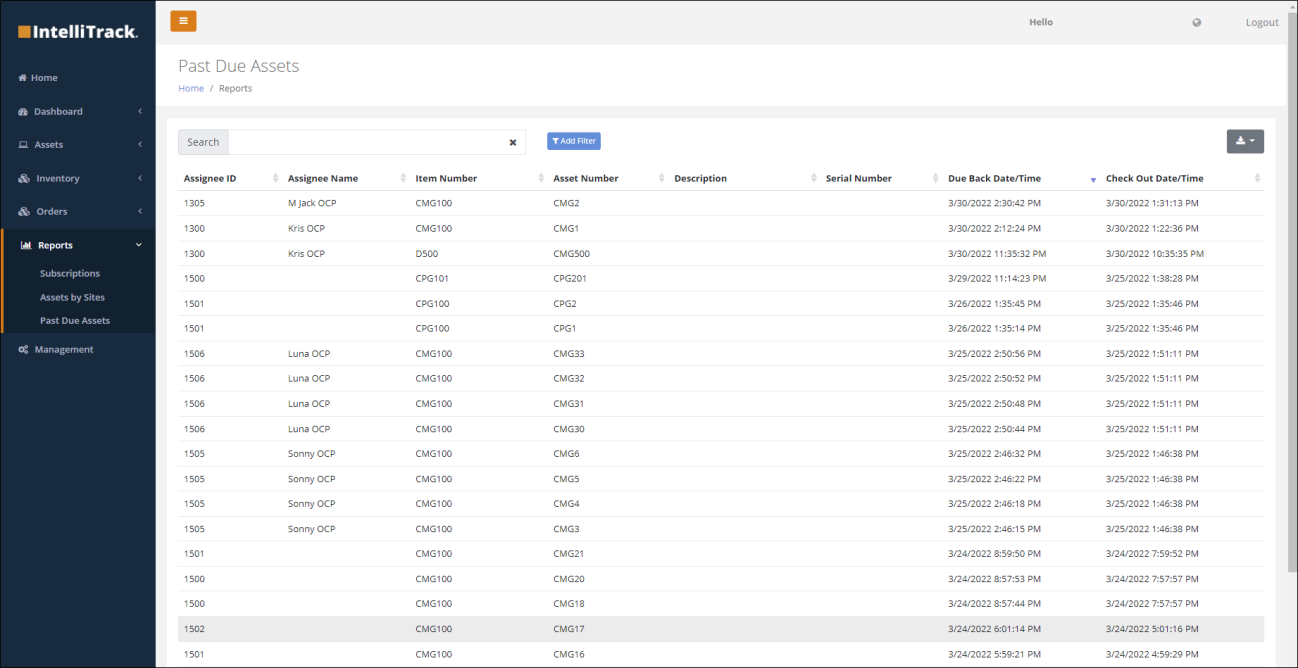
The new Past Due Assets report is now available from the Reports menu. This report allows a user to view all rotational assets that are checked out past their due back date-time. Information on the report includes the assignee, item number, asset number, description, serial number, and checked out and due back date/times.
Change the Due Date of a Checked-Out Asset
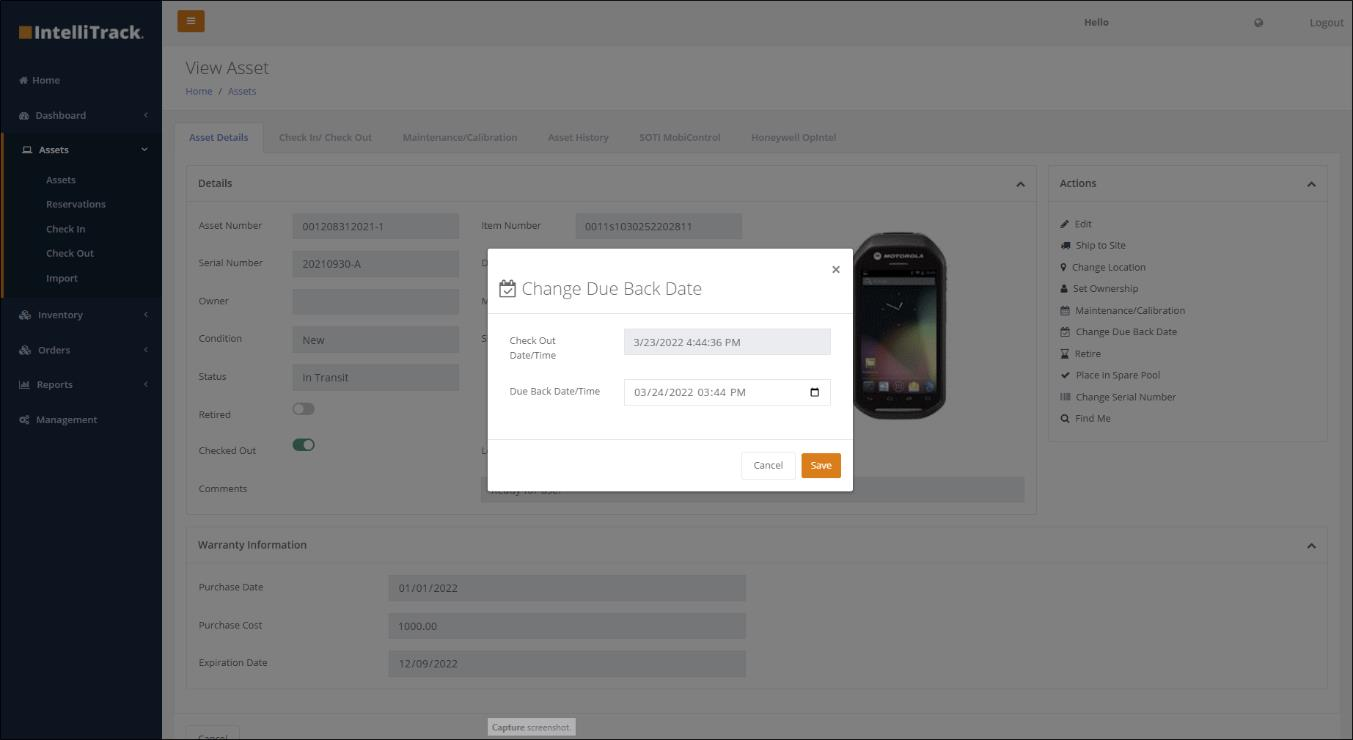
The due date of a checked-out asset may be changed using the Change Due Back Date function. This can be accessed from the View Assets page, where the user will select the Asset Details tab and then choose this option under the Actions menu.
Fixed Asset Updates
Track Asset Depreciation
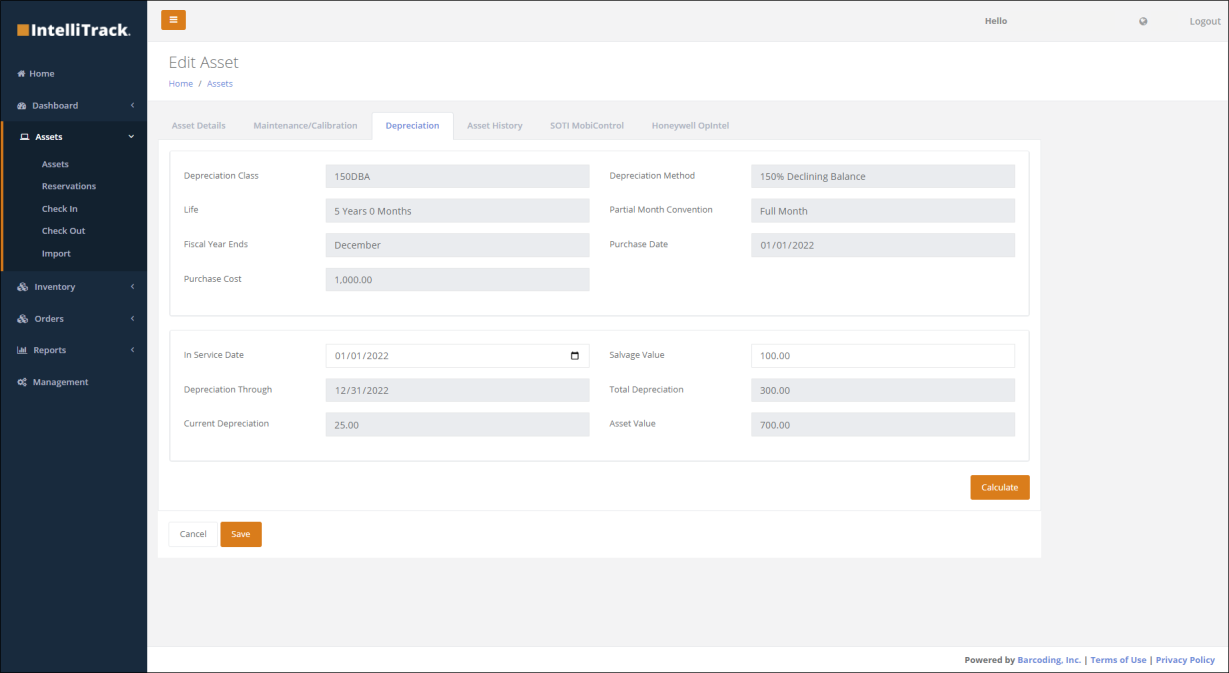
Asset depreciation can now be tracked by users who have purchased access to the Fixed Assets bundle. Depreciation methods include straight line, 150% declining balance, 200% declining balance, sum of the years digits, and manual. Depreciation classes and depreciation methods can be created and managed under Management > Assets > Depreciation Classes, and asset depreciation can be calculated from the Depreciation tab on the Edit Asset page.
Consumable Inventory Updates
Orders
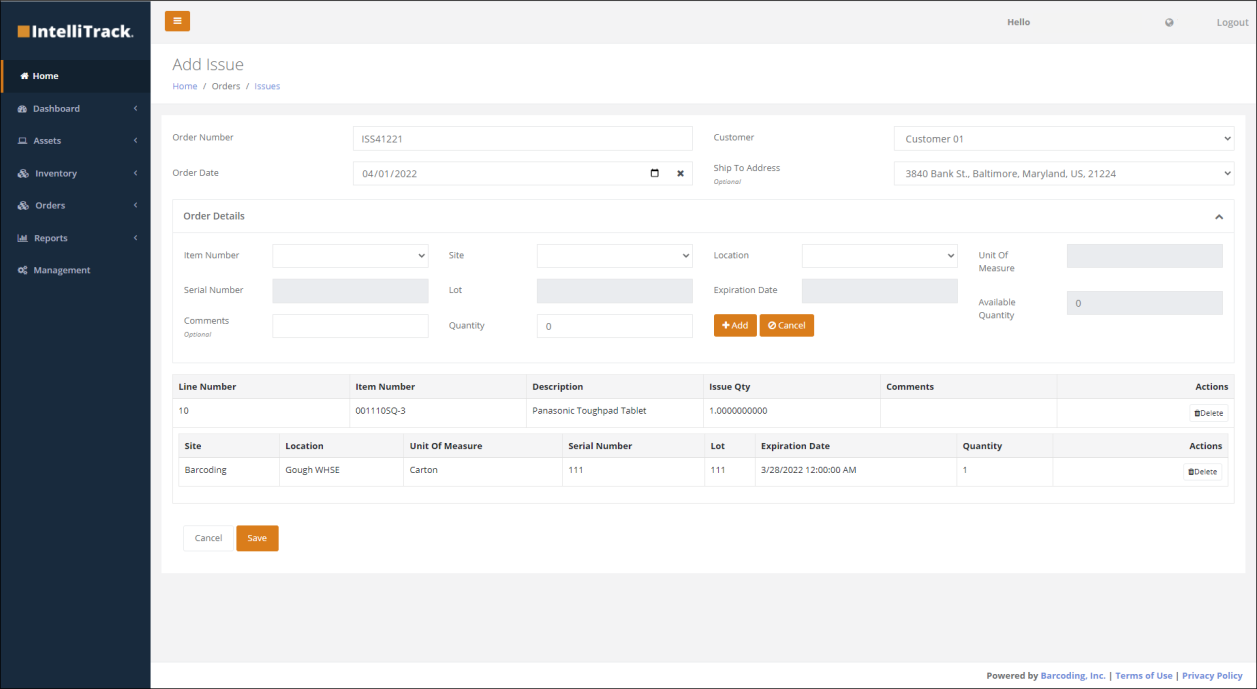
For those who have purchased the Consumable Inventory bundle, stock orders can be generated for consumable inventory items and provided for the receipt into inventory, stock issue from inventory, and returned stock into inventory. Issue Orders removes items from inventory and then issues them to a customer; Receipt Orders adds items to inventory from a vendor; and Return Orders adds previously issued items back into inventory.
Miscellaneous Consumable Inventory Enhancements
Other consumable inventory enhancements include:
- Enhanced vendor and customer information tracking.
- Users can move single and bulk inventory items.
- Users can set and manage reorder points.
- Users can perform unit of measure letdowns and rollups.
- Average Unit Cost Tracking is available for consumable inventory items upon stock item receipt and stock item return.