Appearance
License Management Changes – January 2024
What changed in license management in January 2024: the new Users Licenses page, where administrators manage bundled licenses, and the email notifications sent when a bundle's license count changes or its license is about to expire.
New Users Licenses Page
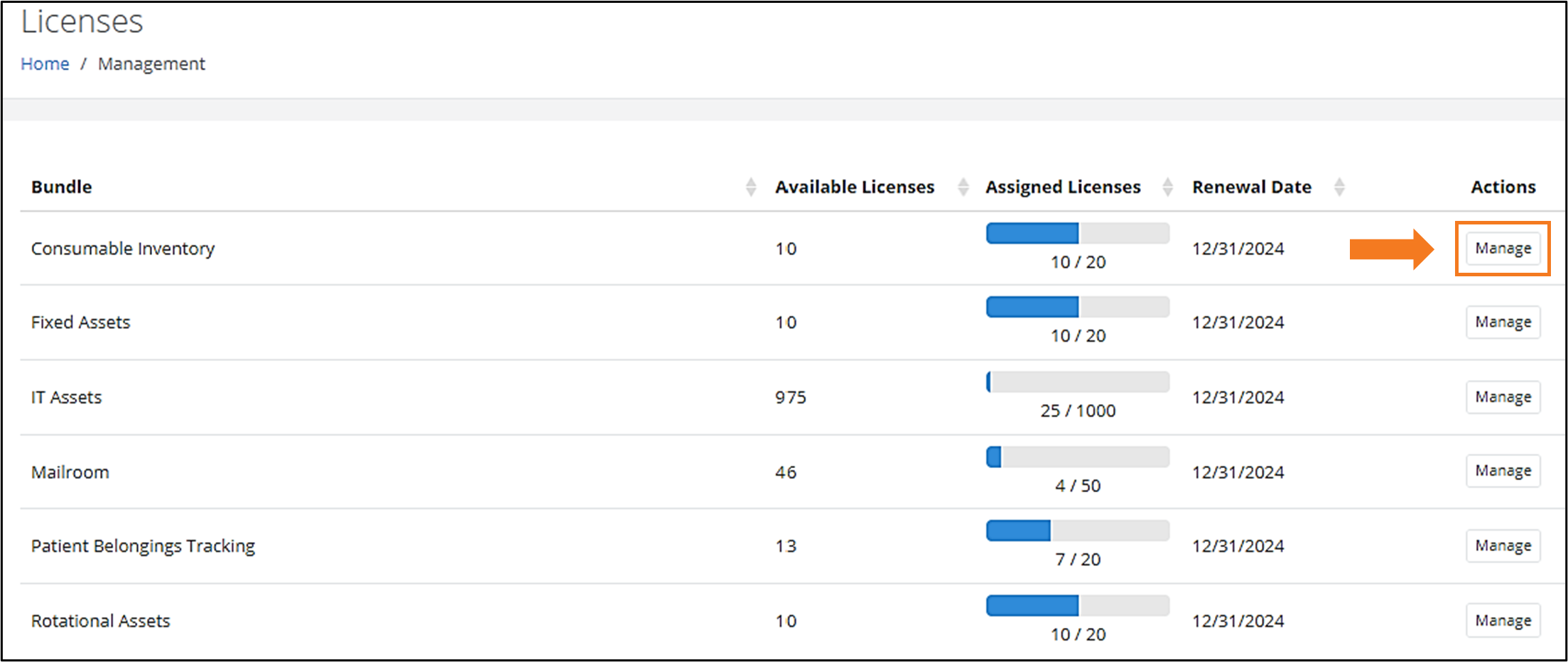
Administrators can now manage their Bundled Licenses from the Management > Users > Licenses page, which contains the following details:
- Bundle
- Available Licenses
- Assigned Licenses
- Renewal Date
It also contains a "Manage" Actions option that allows them to Assign or Unassign User licenses.
"License Count Changed" Email Notifications
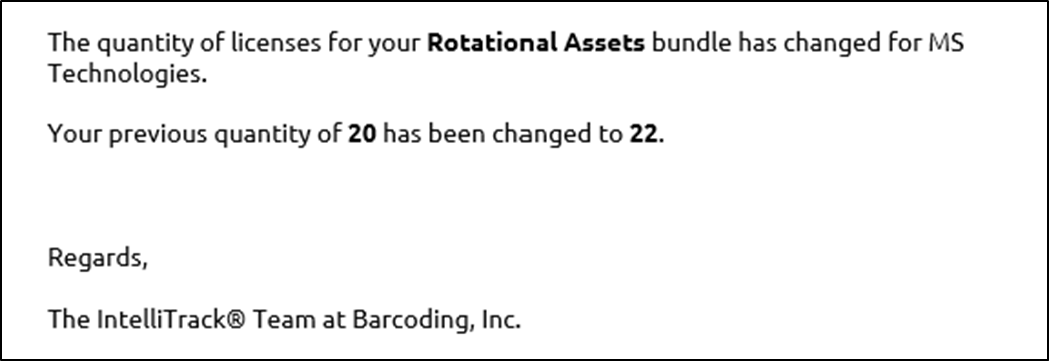
Each time a Bundle's License Count is changed, an Email Notification will be generated to all Administrators of the Tenant, as seen in the example below.
Reminder: "License Expiring" Email Notifications
As previously announced in the Q4 Release Notes, an Email Notification is sent to Administrators when a Bundle's License is about to expire.
Related
- IntelliTrack Getting Started Guide — managing, assigning and unassigning licenses
- IntelliTrack Q4 2023 Release Notes — license status icons and the expiration notification schedule